Video Gallery for Wear OS
appfourVideo Players & Editors
3.290.00 Reviews
- Version
- 1.0.210304
- Installs
- 100.00K
- Age Rating
- Everyone
Screenshots
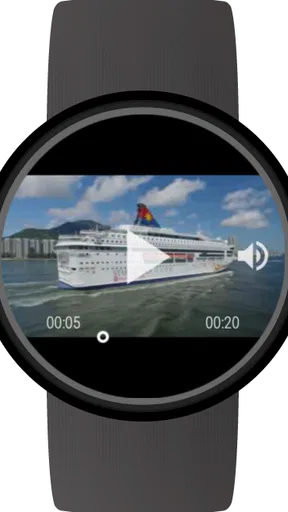
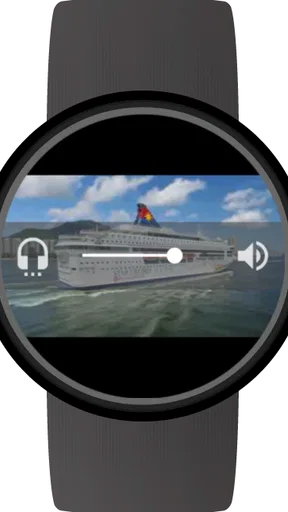
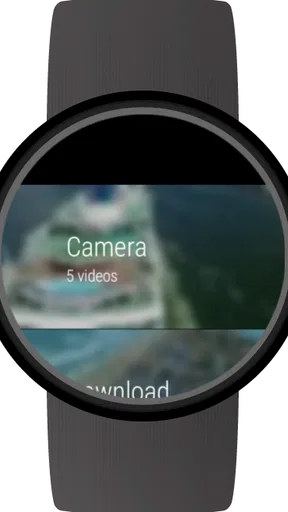
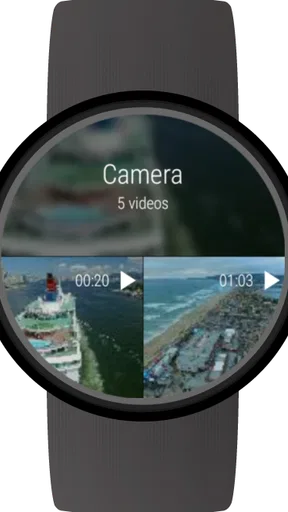
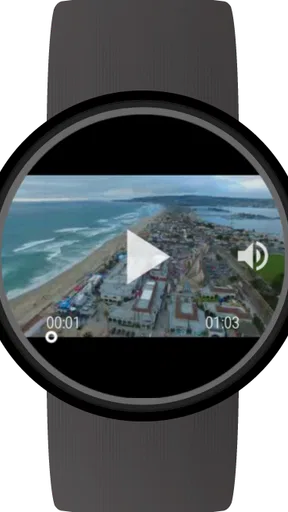
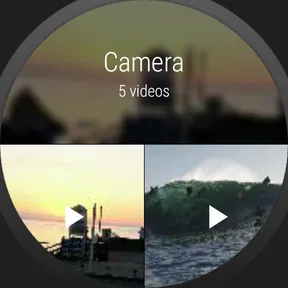
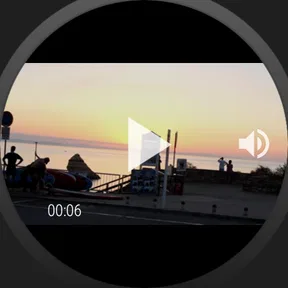
Our Review of Video Gallery for Wear OS
 Analysis by Appyee
Watching video on a smartwatch sounds like a small convenience until you are away from your phone and want a quick visual reference. Video Gallery for Wear OS takes that narrow idea seriously: it is a video-focused app from appfour, made for a Wear OS watch rather than a phone or tablet. I found it most interesting not as a replacement for a normal media player, but as a compact way to keep selected clips close when reaching for a larger screen is inconvenient.
The app is free to install, carries an Everyone age rating, and has reached over 100 thousand installs. Its average rating sits at 3.2 from around 1.3 thousand ratings, which tells me the concept works for some users but is not universally effortless. That feels fair. A watch has obvious limits for video, yet there are situations where a small, immediate gallery is genuinely useful.
Where a watch-based video gallery fits into a creative workflow
I find a watch-based video gallery most useful when it supports a creative task without trying to replace the tools that make or store the finished work. The key is choosing a clip for a clear purpose—such as checking a movement or showing a quick visual reference—rather than carrying a whole library. That distinction helps clarify where the watch fits before deciding what to keep on it.
Starting with the right kind of clip
I would not begin a project by thinking of this as a mobile editing suite. It is better understood as a viewing and reference tool at the end of a creative process. If I am preparing a short demonstration, checking a movement, reviewing a visual idea, or carrying a clip that I may need to show quickly, a watch gallery can remove one step from the process. The value comes from access, not from production controls.
That distinction matters because the usual alternatives are much more capable. A phone gallery offers a larger display, easier file organization, better sound, and more comfortable playback. Cloud storage is more flexible when I need to find many files across devices. A dedicated editing app is the obvious choice for trimming, arranging, adding text, or preparing a finished export. This app sits beside those tools rather than competing with them.
My practical advice is to choose clips before sending them to the watch. A wrist screen is not the place to browse a large archive or decide between dozens of similar takes. The strongest workflow is selective: keep only the videos that have a clear reason to be available on the watch. That might be a reference clip for a workout movement, a short product demonstration, a visual cue for a presentation, or a recording that needs to be checked without pulling out a phone.
A realistic everyday scenario
Imagine I am preparing a short video demonstration and later meet someone who wants to see the motion or result. My phone is in a bag, notifications are interrupting me, or I simply want to keep the conversation moving. A saved clip on my watch gives me a fast way to present the idea. The exchange will not feel like a polished screening, but it can be enough to confirm what I mean.
The same approach works for personal reference. I might keep a short instruction clip nearby while practicing a sequence, checking a setup, or remembering how a device should be assembled. The watch is especially convenient when my hands are occupied or when taking out a phone would be awkward. The important limitation is that the clip needs to be short and visually clear. Fine detail, small text, and subtle edits are difficult to judge on a watch display.
This is also where expectations should remain realistic. The app does not turn the watch into a professional review monitor. It makes a small screen available at the moment I need it. For quick confirmation, that can be useful; for serious visual decisions, I would move back to a phone, tablet, or computer.
What the app contributes before making anything final
Although the app is not an editor, it can still support the early stages of creative work through reference. I can use a clip as a reminder of timing, framing, movement, or the order of actions. That makes it helpful during preparation, especially when the creative task is physical or location-based and a phone is not convenient.
One non-obvious trade-off is that convenience depends on discipline. If I treat the watch as another dumping ground for media, its usefulness drops quickly. A small gallery is valuable precisely because it is curated. I would keep a compact selection of current references and remove material that no longer supports an active task. That simple habit makes finding the right video much faster than trying to reproduce a full phone library on the wrist.
Moving from reference to making
Once I start creating, the app’s role becomes observational rather than productive. I can look at a clip to compare a movement or remind myself of an intended result, but I would not expect to cut footage, build a timeline, or prepare a publication-ready file from the watch. Those jobs belong on a larger device with proper controls.
This separation is actually healthy. It prevents me from confusing a convenient preview with a finished review. I can use the watch to answer a quick question—“Is this the clip I meant?” or “Does this movement look right?”—then return to the main device for decisions that require accuracy. In a creative workflow, that makes the app a lightweight checkpoint between making and presenting.
Playback on a small screen
The biggest practical question is whether watching video on a watch is comfortable enough. My answer is conditional. Short clips with a clear subject can work well. Long videos, dialogue-heavy material, detailed tutorials, and anything that depends on tiny visual elements are much less suitable. The physical size of the display sets a limit that software cannot remove.
I would also choose clips with strong visual contrast and uncomplicated composition when possible. A crowded frame loses impact on a small screen, while a close subject or obvious movement remains easier to understand. This is a useful preparation tip: if a video is intended for quick wrist-based checking, make the important action visible quickly rather than hiding it deep inside a long sequence.
The app’s free entry point makes experimentation easy. I can test whether my own watch and viewing habits suit the concept without committing to a purchase first. At the same time, in-app purchases range from $1.49 to $14.99 per item, so I would look carefully at what any optional purchase adds before paying. The free installation is enough to judge whether the basic idea fits my routine.
Iteration: using the watch as a fast review checkpoint
Iteration is where I see the most practical creative value. After recording or editing a clip elsewhere, I can use the watch for a quick sanity check away from the desk. Does the opening make sense at a glance? Is the main movement obvious? Is the clip short enough to show someone casually? These are not final-quality questions, but they are useful ones.
A watch-based check can reveal a different kind of weakness than a computer monitor does. If the subject disappears on the smaller display, the composition may be too dependent on detail. If the point of the clip is unclear without context, the opening may need improvement. I would not treat those observations as technical measurements, but they can guide another editing pass.
There is a subtle workflow advantage here: the watch encourages quick decisions. I am less likely to pause over frame-level details and more likely to judge whether the idea communicates immediately. That makes it a good companion for rough review, especially when the intended audience may see the content casually on a small screen or from a distance.
What to do when the first attempt is not convenient
If a video does not appear where I expect it, I would first simplify the test rather than assuming the app is suitable for every file. Start with one short, ordinary clip and confirm the basic viewing experience. Then try a more demanding file. This staged approach helps separate a workflow problem from the app’s core usefulness.
I would also avoid building an important presentation around the watch until I have personally tested the exact clip I plan to show. A wrist device is dependent on its own screen, controls, and available media, so a last-minute handoff is needlessly risky. The app is best used as a prepared convenience, not as the only copy of something essential.
This is one of the clearest limitations for creators: it does not replace a reliable publishing pipeline. If I need to send a file to a client, upload it, add captions, manage versions, or preserve a high-confidence archive, I would use a phone or computer. The watch can help me carry a reference, but it should not be the master location for creative work.
Handoff and presentation
For handoff, I see two distinct cases. The first is informal showing: I want another person to see a visual example immediately. Here the app can be handy, provided the clip is short and the audience understands that the watch is being used as a quick preview. The second is formal delivery, where the recipient needs a file, a link, a high-resolution image, or a dependable playback experience. In that situation, the usual phone, cloud, or desktop route is clearly better.
That difference answers an important question about publishing: this is not the tool I would choose to upload or distribute finished work. Its purpose is local viewing on a Wear OS smartwatch. I would complete the creative process elsewhere, keep the authoritative file in a normal storage location, and use the watch only for selected access or demonstration.
Another useful handoff tip is to prepare a “conversation cut” rather than carrying the entire project. A short clip that reaches the important moment quickly is more effective on a watch than a long export containing introductions, pauses, and alternate takes. This is not a special editing feature inside the app; it is a workflow choice that makes the app’s limited viewing space work in its favor.
Who should use it and who should skip it
I think this app is a good match for Wear OS owners who regularly need quick access to a few videos without opening a phone. It may suit people who use visual references during physical activities, carry short demonstrations, or want a private preview device for casual situations. It is also a reasonable experiment for anyone curious about turning a smartwatch into a small media companion.
I would skip it if my priority is editing, file management, professional review, or comfortable long-form watching. People who mainly consume videos with subtitles, detailed graphics, or important audio will probably be happier with a phone or tablet. Likewise, anyone who wants a complete gallery synchronized across several devices should look toward a broader media or cloud solution.
The rating of 3.2 from roughly 1.3 thousand ratings reinforces my own balanced view: this is a specialized idea with a limited audience, not an essential installation for every smartwatch owner. Its appeal depends heavily on whether the watch already has a place in the person’s daily media habits.
Version, support expectations, and day-to-day fit
The current version is 1.0.210304, while the app has been available since August 15, 2016. I read that long availability as a sign that the concept has had time to find its niche, but I would still judge it by my own watch and routine rather than by age alone. Wearable experiences can feel very different depending on the device, screen, and controls involved.
Because the developer is appfour, I would keep the app’s focused purpose in mind when deciding whether it belongs in my regular toolkit. It is not trying to be a broad creative platform. The useful question is simply whether having a video gallery on my wrist solves a recurring inconvenience. If the answer is yes, the narrow design becomes a strength; if not, it may feel like an unnecessary extra.
My final view of the creative workflow
After looking at the full path from idea to handoff, I see Video Gallery for Wear OS as a small but understandable tool. It helps at the reference and quick-review stages, offers a convenient way to show selected clips, and gives creators another perspective on whether visual content communicates at a glance. It does not make, edit, export, or publish a project, and expecting those functions would lead to disappointment.
I would recommend trying the free version if you already own a Wear OS watch and can name a specific situation where a phone feels inconvenient. Start with one or two short clips, choose material with a clear subject, and test the exact viewing scenario before relying on it. If that experiment saves you time or makes a quick demonstration easier, the app has earned its place.
My verdict is therefore practical rather than enthusiastic: use it as a curated wrist-based video reference, not as a miniature production studio. For the right person, that focused role is enough. For everyone else, a normal phone gallery remains more comfortable, more flexible, and better suited to the complete journey from creative idea to finished delivery.
Verdict
Strengths of Video Gallery for Wear OS
- Quickly browse and play videos directly from your Wear OS watch.
- Simple interface designed for small screens and limited controls.
- Useful for viewing short clips without reaching for your phone.
- Works well for checking locally stored videos on the go.
- Convenient companion app for users who regularly wear their smartwatch.
Limitations of Video Gallery for Wear OS
- Video playback can be uncomfortable on the watch’s small display.
- Large video files may use significant watch storage and battery.
- Compatibility may vary between different Wear OS devices.
- Touch controls can feel cramped during playback or navigation.
- Not ideal for editing, sharing, or managing large video libraries.
Similar Picks in This Category
View All
Google TV
Google LLC3.9

iTunes
Apple4.7

YouTube
Google LLC3.8

MX Player
Amazon Mobile LLC4.2

CapCut - Video Editor
Bytedance Pte. Ltd.3.5

PLAYit-All in One Video Player
PLAYIT TECHNOLOGY PTE. LTD.4.5
Frequently Asked Questions
What is Video Gallery for Wear OS?
Video Gallery for Wear OS is an app designed to let you browse and watch video files directly from a compatible Wear OS smartwatch. After installing it, users can access supported videos from the watch and use the small touchscreen to select and control playback. It is intended for personal viewing when carrying a phone is inconvenient, although the experience depends on the watch’s storage, screen size, processor, and available battery.
Which smartwatches are compatible with Video Gallery for Wear OS?
The application is intended for smartwatches running Google’s Wear OS, but compatibility can vary between models and software versions. Before downloading, check the app’s Google Play listing and confirm that your watch appears among the supported devices. Older watches may have limited performance, storage, or video support, while newer models generally provide smoother navigation and playback. Availability can also differ by region and manufacturer.
Can I watch videos without an internet connection?
In most cases, the main advantage of using a video gallery on Wear OS is the ability to view videos stored or transferred to the watch without a continuous internet connection. However, the exact transfer method depends on the app and smartwatch model. You may need to copy files from a phone or computer first. Streaming services and online videos may require internet access, separate apps, and compatible accounts.
What video formats and controls does the app support?
Video playback depends on both Video Gallery for Wear OS and the media codecs supported by your particular smartwatch. Common formats may work, but unsupported files can fail to open, play without sound, or display incorrectly. The app generally focuses on basic controls such as play, pause, seeking, and volume, though available options can vary. Testing a short compatible file first is recommended before transferring a large collection.
Does watching videos affect smartwatch battery life or storage?
Yes. Video playback uses the display, processor, speaker or Bluetooth audio, and sometimes wireless connectivity, so it can drain the battery noticeably faster than normal watch functions. Video files also consume limited onboard storage, which may already be shared with apps, music, and system data. For longer viewing sessions, charge the watch beforehand, keep brightness reasonable, and remove unwanted files to maintain free space and performance.
